
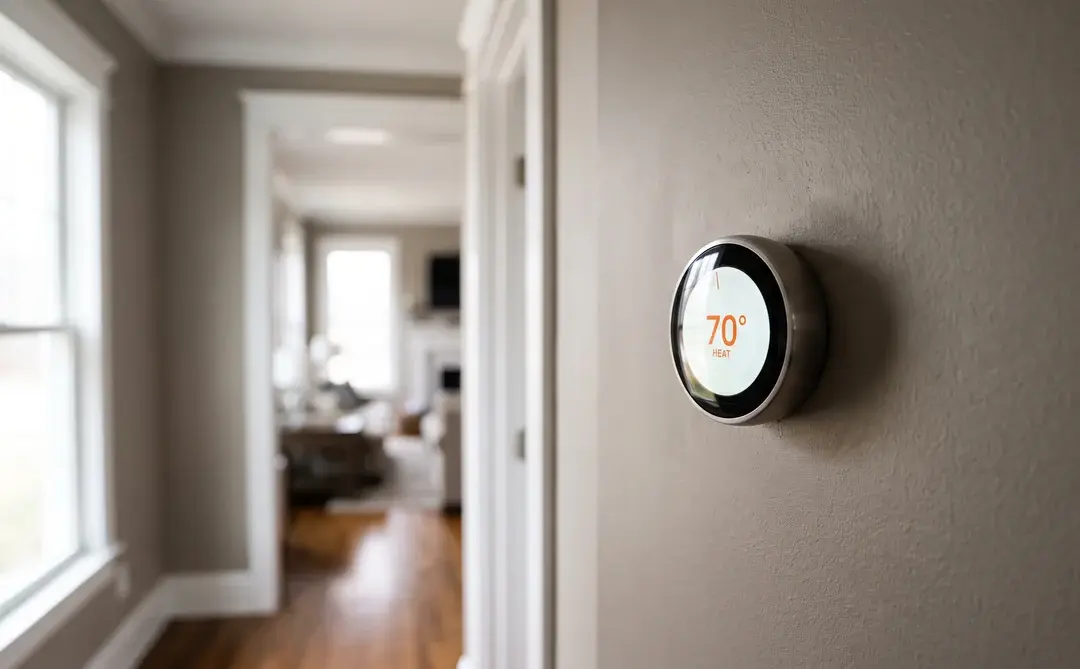
Every October the calls change. The AC-won’t-cool calls taper off, the first cold snap runs everybody’s heat, and somewhere in the middle of that I start getting a version of the same question from Raleigh homeowners: I want a smart thermostat, is Nest or Ecobee better, and my neighbor says Honeywell.
I have been installing all three in Triangle homes since they came out. The honest answer is that the question people ask is almost never the question that decides the outcome. The app matters less than you think. The wiring behind the plate and the kind of system it is talking to matter more than anything on the box. And in Wake County there is a local piece of the math that no national buying guide includes, which is that Duke Energy will hand you a bill credit larger than three of the seven current models cost.
So this is the comparison written from the wall side rather than the app-store side. Current 2026 lineups and real prices, what your system actually needs, what these things genuinely save, and which one I would put in my own house.
TL;DR: Pick for your wiring and your system type first, then let Duke Energy pay for it. In Raleigh that order matters, because 62% of North Carolina homes heat with electricity against 34% nationally (U.S. Energy Information Administration), which locally means a heat pump, and Google’s own product page says that “heating-only, cooling-only, zone-controlled, and heat pump systems require a Nest Power Connector or C wire.” Enrolling any qualifying smart thermostat in Duke Energy Progress EnergyWise Home returns a one-time $150 bill credit plus $50 every anniversary year, which is more than a Honeywell Home X2S ($79.99), a Nest Thermostat ($129.99) or an ecobee Essential ($139.99) costs in the first place. And ignore the 26% savings headline: the ENERGY STAR certified average, built from real field data, is about 8%, or roughly $50 a year.
Which Smart Thermostat Is Best for a Raleigh Home?
For most Raleigh homes on a heat pump with a C wire already present, I install an ecobee. For a home without a C wire, an ecobee still wins because the Power Extender Kit is a real fix rather than a workaround. For a homeowner who mostly wants the credit and does not care about room sensors, the Honeywell Home X2S at $79.99 is the best value on the board by a wide margin. Nest is the right answer when the household is already deep in Google Home and the system is a straightforward gas furnace with air conditioning.
That is the whole verdict, and I want it up front because the rest of this article is the reasoning, not the suspense. What follows is why the wiring question comes before the brand question, why heat pumps in particular scramble the usual rankings, what these things really save, and what changed in all three lineups in the last twelve months that most comparison articles have not caught up to.
One thing to set aside now: brand loyalty in thermostats is mostly manufactured. All three of these companies build a competent product. The difference between a good outcome and a service call is almost always configuration and power, not badge.
The 2026 Lineups Changed. Most Comparison Articles Did Not.
Before anything else, the boards have moved, and a lot of what is written about this matchup is describing products you can no longer buy.
Start with Honeywell, because that is the biggest gap. The Honeywell Home T9, which is the model named in almost every “Nest vs Ecobee vs Honeywell” article on the internet, is now marked Discontinued on Resideo’s own store, with the flat statement that “The product is no longer available for sale.” The T10+ is marked Discontinued as well. What replaced them is the X Series: the X2S at $79.99 and the X8S at $219.99, or $249.99 with a room sensor in the box. If you read a comparison that benchmarks the T9 and calls it current, that comparison is at least a model generation behind.
On the Google side, the news is about support rather than the product. Google ended support for the first and second generation Nest Learning Thermostats, and its own help page says that “Starting October 25, 2025, your device will be unpaired and removed from your Nest app or Home app.” Those units still control temperature from the face of the device, and you can still switch modes and manage the schedule on the thermostat itself, but the app connection is gone. That is roughly a fourteen-year service life for a piece of wall hardware that used to last thirty. It is a legitimate thing to weigh, and it is the honest answer to the question people keep typing into Google about whether Nest is being discontinued.
What Google sells today is the Nest Learning Thermostat (4th gen) at $279.99 list, which includes one Nest Temperature Sensor, and the simpler Nest Thermostat at $129.99 list. ecobee’s three-model lineup has been stable: Essential at $139.99, Enhanced at $199.99, and Premium at $259.99, with a SmartSensor included in the Premium box.
Keep those list prices in mind, because all three brands discount heavily and often. On the day I pulled these numbers the Nest Learning was $239.99, the Nest Thermostat was $99.99, ecobee Premium was $229.99, Enhanced was $169.99 and Essential was $119.99. I am going to use list prices throughout so the comparison stays stable, which means every number below is the conservative version.
The discontinuations matter beyond bragging rights. When a model comes off the shelf, the accessories and replacement sensors follow within a year or two, and the app support clock starts running whether or not the manufacturer says so out loud. If you are looking at a marketplace listing for a T9 or a T10 because the price looks good, understand that you are buying into a line Resideo has already moved past, and that the room sensors those models depend on are getting harder to source at retail.
The same caution applies to the used Nest Learning units that turn up on local listings every fall. Check the generation before you hand anybody cash, because the two oldest ones lost their app connection in October 2025 and no amount of setup will bring it back. A first or second generation unit at forty dollars is not a bargain, it is a manual thermostat with a nice dial.
Start With Your Wiring, Not With the Brand
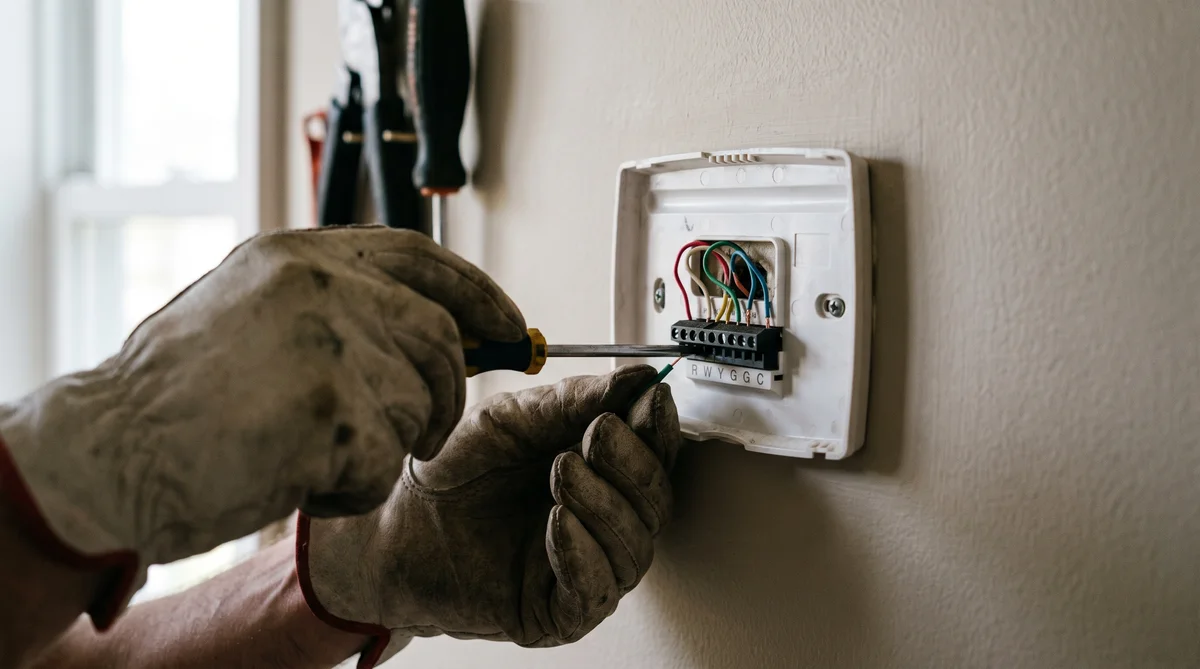
Take the faceplate off your current thermostat before you buy anything. Everything downstream of that decision depends on what is behind it, and it takes about fifteen seconds.
What you are looking for is a wire on the terminal marked C. That is the common wire, and it is what gives a Wi-Fi thermostat a continuous 24-volt supply so it can hold a network connection, drive a bright display, and not brown out. Older Triangle homes, especially anything built before the mid-1990s, frequently have four wires at the thermostat and no C. Newer construction almost always has five.
The terminals are lettered, and the letters are consistent across all three brands, which makes this easier than it looks. R or Rh is the 24-volt supply, W is heat, Y is cooling, G is the fan, and C is common. On a heat pump you will also see O or B for the reversing valve, and frequently an AUX or W2 for the electric backup heat. Wire colors are conventional rather than mandatory, so trust the letters stamped on the terminals and not the color of the insulation, particularly in a house that has been re-thermostatted once or twice already.
Photograph the plate with your phone before you disconnect a single wire. That one habit has rescued more installations than any tool in my truck.
The three brands answer the missing C wire in three genuinely different ways, and this is where the comparison actually gets interesting.
Google borrows power. The Nest product page says that “With Power Sharing, there’s no C wire required to install the Nest Learning Thermostat in most homes.” When that works, it works fine. When it does not, the symptoms are miserable to diagnose: a thermostat that drops off Wi-Fi at random, a blower that runs a few seconds after the call ends, a system that short cycles. If you need a fix, the Nest Power Connector is $24.99, and Google describes it as “the C wire substitute for Nest thermostats,” acknowledging in the same breath that “some systems may require a C wire for consistent power.”
ecobee ships a hardware adapter. The Power Extender Kit installs at the furnace control board and, in ecobee’s own words, “works by combining the functionality of the Y and G wires into a single wire to free up a wire for the necessary C connection.” It comes free in the box with every ecobee “except Smart Thermostat Essential and Smart Thermostat Lite,” and costs $24.99 on its own. It needs at least four wires at the thermostat. This is my preferred outcome, because you end up with an actual common connection rather than a device managing on borrowed current.
Honeywell requires the wire. The X8S spec sheet lists its power source as “Hardwired; C-Wire required,” full stop. No adapter, no borrowing. That is a limitation, and it is also the most honest position of the three.
Why Heat Pumps Change the Answer in Wake County
Heat pumps are the reason a national thermostat ranking translates badly to Raleigh. Here is the fact that reorders everything: according to the U.S. Energy Information Administration’s 2020 Residential Energy Consumption Survey, 62% of North Carolina homes use electricity as their main heating fuel, against 34% nationally. Natural gas is the main fuel in 29% of North Carolina homes against 51% across the country. In practice, an all-electric home in the Triangle is a heat pump home.
Now read Google’s compatibility language again with that in mind. The Nest page says “Works with 85% of systems,” and then adds that “Some systems, including heating-only, cooling-only, zone-controlled, and heat pump systems require a Nest Power Connector or C wire.” The exception that reads as a footnote in a national article is the local default here. If you are shopping in Wake County, assume you are in the exception until you have confirmed otherwise.
There is a second heat pump issue that has nothing to do with power. A heat pump needs the thermostat to control a reversing valve, usually on an O or B terminal, and to stage auxiliary electric resistance heat separately from the compressor. Get the auxiliary staging wrong and the system runs expensive strip heat when the compressor alone would have been enough. I have walked into homes where a self-installed thermostat added forty or fifty dollars a month to a January bill purely because the aux heat was configured to come on too early. Nothing was broken. The wiring worked. The settings were wrong.
That is the real content of the question people ask about why HVAC techs are cool on Nest. It is not the brand. It is that the simplest models across all three brands stage heat pumps conservatively, that homeowners installing their own units often skip the system-type configuration entirely, and that we are the ones who get the call in January. If you have a heat pump or a dual fuel system, this is the one part of the job worth handing to someone who does it every day.
What a Smart Thermostat Actually Saves You
Less than the marketing says, and enough to be worth doing anyway. Both of those are true and the gap between them is where most buying guides go wrong.
The number that matters is EPA’s. ENERGY STAR states it plainly: “On average, savings are approximately 8% of heating and cooling bills or $50 per year.” That figure is not a manufacturer projection. To carry the ENERGY STAR label, a smart thermostat has to “demonstrate annual savings based on installations in homes across the United States,” using a full year of real data covering both a heating and a cooling season.
Now compare that to what you see on the box. ecobee advertises savings of “up to 26% on energy costs,” and the footnote on its own product page defines the baseline: “Compared to a hold of 72°F/22°C.” In other words, 26% is what you save against never adjusting your thermostat at all, ever, all year. That is a real comparison. It is just not a comparison to how most households already behave.
The 10% to 15% range you will find repeated across most buying guides sits between the two with no published measurement basis attached. I will note that our own thermostat services page has been quoting that range for years, and after pulling ENERGY STAR’s language for this article, we are going to correct it. If a number cannot be traced to a measurement, it should not be on our site either.
For context on why even 8% is worth chasing: ENERGY STAR notes that for the average American household, “almost half of the annual energy bill goes to heating and cooling,” which it puts at more than $900 a year. Eight percent of a Raleigh household’s heating and cooling spend is real money, and it recurs. It is just not the number on the box.
Duke Energy Will Pay You More Than the Thermostat Costs
This is the part that inverts the entire ranking, and I have never once seen it in a national comparison.
Most of Wake County is Duke Energy Progress territory. Duke Energy Progress runs a demand response program called EnergyWise Home, and the terms are published plainly: “Participants will receive a one-time $150 bill credit after successfully enrolling in the program and you will receive an additional $50 bill credit following each anniversary of your enrollment.” Duke Energy Carolinas customers get the same $150 plus $50 through its Power Manager program.
What you agree to in exchange is that Duke can make brief adjustments to your thermostat during peak demand periods. Both program pages say you can opt out of any individual adjustment from your phone, your browser, or the thermostat itself. In eighteen years of doing this in Raleigh I have had exactly two customers tell me the adjustments bothered them enough to unenroll.
Run the arithmetic and it is not close. A Honeywell Home X2S costs $79.99, and the enrollment credit is $150, so you are $70.01 ahead in year one on the hardware alone. A Nest Thermostat at $129.99 leaves you $20.01 ahead. An ecobee Essential at $139.99 leaves you $10.01 ahead. Even the most expensive unit on the board, the Nest Learning at $279.99, nets out to $129.99, and the $50 anniversary credits keep coming after that.
Worth saying clearly: the federal money is gone. The Energy Efficient Home Improvement Credit, the 25C credit that homeowners leaned on for efficiency upgrades, is in the IRS’s own words “allowed for qualifying property placed in service on or after Jan. 1, 2023, and before December 31, 2025.” That window has closed. Utility programs are what is left, which makes them more important than they were, not less. We track the current state of those in our NC HVAC rebates guide.
Nest: What It Does Well, and Where It Frustrates Techs
Nest earns its reputation on the parts of the experience most people touch daily. The hardware is the nicest looking of the three by a distance, the display is excellent, and if your household already runs on Google Home, the integration is seamless in a way the others are not. The learning behavior genuinely does build a workable schedule out of a couple of weeks of manual adjustments, which suits people who will never sit down and program a thermostat.
The Learning Thermostat is ENERGY STAR certified, which matters for a practical reason beyond efficiency: Google’s own FAQ points out that “Because this thermostat is Energy Star Certified, you can use rebates and rewards from your energy provider to get a discount.” That certification is the ticket into the Duke program.
Where it frustrates people in my trade is narrower than the internet suggests, but it is real. The Power Sharing approach is elegant when it works and opaque when it does not, and the failure mode looks like an HVAC problem rather than a thermostat problem, so the homeowner calls us rather than Google. The end of support for the first two generations is a second, fairer concern: it establishes that the app half of the product has a shelf life set by somebody else’s roadmap. And on a multi-stage heat pump with auxiliary heat, the setup wizard is friendlier than it is precise.
None of that makes it a bad thermostat. On a straightforward gas furnace with air conditioning in a Google household, it is the one I would pick. That is just not the majority configuration in this county.
Ecobee: The One I Install Most in the Triangle
If I had to hand one brand to a Raleigh homeowner sight unseen, it would be ecobee, and the reason is unglamorous: it fails less often on the systems we actually have here.
The Power Extender Kit is most of it. Getting a genuine common connection at the board, rather than managing without one, removes an entire category of intermittent problems from the equation. It ships free with the Enhanced and Premium, so on those models the no-C-wire scenario costs nothing extra. The Essential is the exception: its specs list power as “Wired 24VAC through terminals C and R,” with the Power Extender Kit “sold separately” at $24.99.

The second reason is staging. On a two-stage heat pump with strip heat, which is a very common Triangle configuration, ecobee’s setup gives you clearer control over when auxiliary heat is permitted to engage, and its thresholds are easier to audit after the fact. That is a boring advantage right up until the January bill arrives.
The Premium is the model I recommend when someone has a specific comfort complaint rather than a general upgrade itch. It includes a SmartSensor in the box, adds indoor air quality monitoring, and uses radar-based occupancy sensing rather than motion alone. If humidity is the actual problem rather than temperature, read our guide on reducing humidity in a Raleigh house first, because a thermostat alone will not fix that.
Honeywell Home: The Quiet Value Play After the T9
Honeywell is the brand people mention third and then never seriously consider, which after the X Series launch is a mistake, at least at the bottom of the range.
The X2S is $79.99. It is ENERGY STAR certified, which means it qualifies for the Duke credit, and it handles up to 2 heat and 1 cool on heat pump systems, which covers a single-stage heat pump with one stage of backup. For a homeowner whose honest goal is a Wi-Fi thermostat, a phone app, and a $150 bill credit, nothing else on this list is close on value. You are not buying room sensors or learning behavior. You are buying competent connected control for less than half what the credit pays you.
The X8S sits at the other end at $219.99, or $249.99 with a wireless indoor sensor included. Its spec sheet is the most capable of anything here for complex systems: up to 4 heat and 2 cool stages on heat pump systems, and up to 3 heat and 4 cool on conventional systems. If you have a genuinely complicated setup, a dual fuel system with multiple stages, or a home where somebody has bolted on humidity and ventilation equipment over the years, it is the one with headroom. Its constraint is the one already noted: hardwired, C wire required, no adapter path.
Room Sensors Are the Feature That Fixes the Bonus Room
If one room in your house is always wrong, a remote sensor will do more for you than any other feature on any of these thermostats, and it is the thing most buyers skip.
The mechanism is simple. A thermostat measures the air where it hangs, which in most Raleigh homes is a downstairs hallway. That is a fine proxy for the main floor and a poor one for a bonus room over the garage, a finished attic space, or a bedroom at the end of a long duct run. A remote sensor lets the thermostat average in, or prioritize outright, the temperature where somebody is actually sleeping.
Two of the seven models include a sensor at list price: the Nest Learning includes one Nest Temperature Sensor, and the ecobee Premium includes a SmartSensor. The X8S has a $249.99 variant with a wireless indoor sensor in the box. Everything else, sensors are an add-on.
How many do you need? Usually one. Occasionally two, if the house has a bonus room at one end and a primary bedroom at the other. Past that you are trying to solve a duct problem with sensors, and that does not work. Both ecobee and Nest let you choose which sensor the thermostat follows at which time of day, so the standard setup in a Raleigh two-story is to follow the upstairs sensor overnight and the hallway thermostat during the day.
One caution from experience: a sensor is a control improvement, not a duct improvement. If the bonus room is ten degrees off, the duct serving it is probably undersized or leaking, and no thermostat will manufacture airflow that is not arriving. That is a system inspection question, and sometimes a ductless head question.
When Thermostat Shopping Actually Happens
Here is a piece of original data I find genuinely useful for planning. Almost everything else this company writes about peaks in July, because that is when air conditioners quit. Thermostat comparison searches run on the opposite calendar entirely.
I pulled twelve months of United States search volume for the head-to-head query to check whether my own intake was representative or just a Raleigh quirk. It is not a quirk. The national pattern and my October phone log line up almost exactly, which says the trigger is the first heating call of the season rather than anything regional.
That gap is worth something practical, because it means most of the advice you will find was written on a different clock than the one you are shopping on. The big comparison articles tend to get their annual refresh in spring, when demand for them is at its lowest and product news is thinnest, and then they sit unrevised straight through the autumn peak. It is exactly how a discontinued Honeywell model ends up recommended to a hundred thousand people in November.
U.S. search volume for “nest vs ecobee” tops out at 1,300 a month, a ceiling it reaches in October and November and reached once before that in August, and it floors at 590 for four straight months from February through May. The autumn peak is 2.2 times that spring low. People shop for thermostats when the heat comes on for the first time and the house feels uneven, and again in December when it becomes a gift.
The practical takeaway: right now, in early September, is the best window of the year to do this. Prices are competitive ahead of the holiday season, the Duke enrollment credit does not care what month it is, and you get the thermostat dialed in before the first cold snap rather than during it. It also pairs naturally with a fall tune-up, since we are already going to be at the equipment.
Installation: What It Costs and When to Call
A like-for-like swap with a C wire present is a genuine do-it-yourself job for most people. Anything involving a heat pump’s staging, a missing common wire, or a system you are not sure about is worth paying for, and the payment is small relative to the risk.
HomeAdvisor reports that “On average, installing a new thermostat costs around $184, with most homeowners spending between $114 and $265,” and that the project “can cost anywhere from $67 to $500.” Running a new C wire adds “an extra $90 to $135,” and it notes that a professional electrician “will charge between $65 to $100 per hour on average, and thermostat installation takes anywhere from one to three hours.”

The number worth weighing against those is the one from earlier: the aux heat misconfiguration I described can add more to a single winter’s bills than the entire installation costs. That is the honest case for having someone set the system type, staging and thresholds correctly the first time.
There is also a safety line worth drawing clearly. A thermostat swap on an existing 24-volt control circuit is low-voltage work, and it does not require a permit anywhere in Wake County. Running a new common wire through a wall or a ceiling is still low voltage, but it is the point at which people start pulling insulation, drilling through plates, and occasionally finding line-voltage cable sharing the same stud bay. If the wire run is not obvious and short, that is the moment to stop and call somebody.
The other thing I tell anyone doing this themselves: kill the power at the air handler disconnect or the breaker before you touch the control board, not just at the thermostat. That board is energized even when the thermostat is asking for nothing. The single most common self-inflicted repair we get called out for after a do-it-yourself thermostat job is a blown low-voltage transformer fuse, caused by a bare wire brushing the wrong terminal with the system still live.
We install and configure all three brands, and we do it as part of heat pump installations, heating system work and standalone thermostat service across Raleigh, Cary and the rest of the Triangle. Reach us at (919) 673-7667.
Frequently Asked Questions
The Bottom Line for Raleigh Homeowners
Take the faceplate off first. That is the recommendation that actually changes outcomes, and it costs nothing. If there is a wire on the C terminal, you can install any of these seven and the decision comes down to preference and budget. If there is not, your shortlist narrows to an ecobee with the Power Extender Kit or a Nest with the Power Connector, and the Honeywell X8S drops off it entirely.
Then check what you are heating with. If it is a heat pump, which for 62% of North Carolina homes it effectively is, take the staging and auxiliary heat configuration seriously, whichever brand you buy. That single setting has more effect on your January bill than any efficiency feature in the marketing.
Then enroll it. Whatever you install, get it into EnergyWise Home or Power Manager. A one-time $150 credit plus $50 a year is the largest single number in this entire article, it is larger than three of the seven thermostats cost, and it is the piece that national comparisons cannot tell you about because it only exists here.
Icy Hot has been working on Triangle systems since 2008. We are NATE-certified and licensed in North Carolina (License #L.34356), we install and configure Nest, ecobee and Honeywell Home, and we will tell you honestly when the $79.99 unit is the right call. Reach us at (919) 673-7667 or through our contact page, and if you want the thermostat handled alongside everything else before winter, look at our maintenance packages.
Written by Frankie Asfari, owner of Icy Hot Heating & Air Conditioning in Raleigh, NC. NATE-certified, NC HVAC License #L.34356.